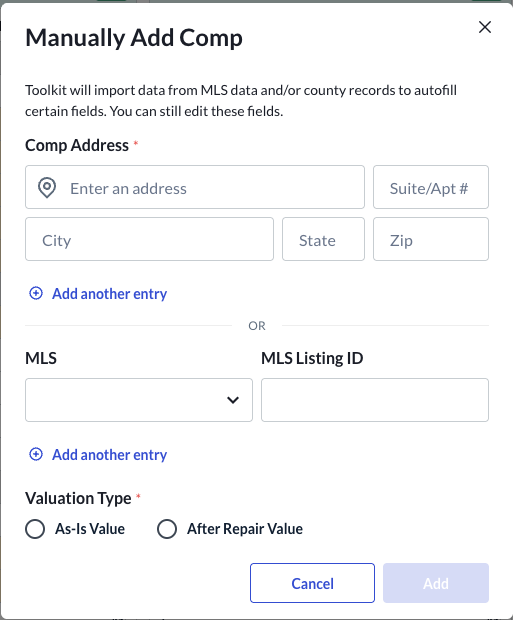
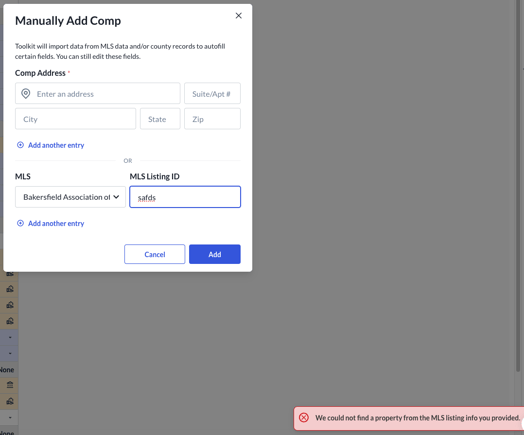
Sometimes appraisers will either flag a property they expected to be included in the recommended comps search but isn’t, or they will try to manually add a comp by MLS ID and an error will be returned, or they will simply try to address a comp by address and the MLS data won’t load. This happens when our MLS data provider has gaps in their coverage for various reason. When getting those requests from appraisers, please flag the addresses or transactions to engineering so we can escalate them to our data provider. In the meantime, the appraiser is not blocked from completing their work. They can still manually add the address, then fill out the transaction details in the Sales Comparison grid.
For AIV+ARV orders, the appraiser also needs to indicate which Valuation Type they intend to manually add a comparable to. On smaller screens, the appraiser may need to scroll down on the modal to see the Valuation Type radio options.