
Your Dashboard's Left Navigation Menu
The left navigation bar serves as your primary menu for accessing the various tools and pages within the Customer Dashboard.
Main Navigation Options
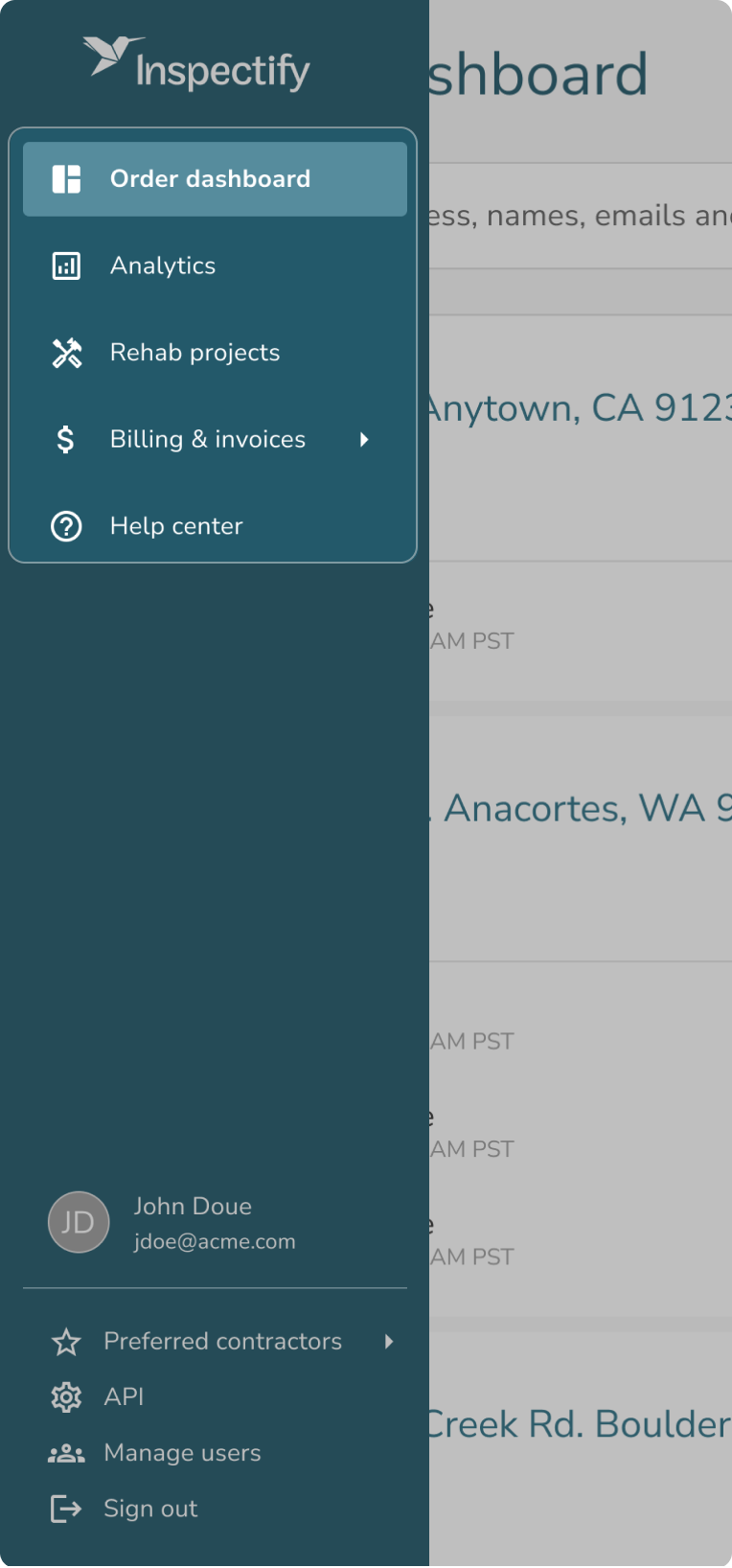
- Dashboard: Clicking this option expands to the "Orders Dashboard," which directs you to your main order list where you can view and manage all of your service requests.
- Analytics: Selecting this option takes you directly to your Analytics page, providing you with insight and data regarding your orders.
- Rehab projects: Directs you to your Rehab Projects page where you can start and continue editing Rehab Projects associated with your inspection reports.
- Billing & invoices: This option will display a dropdown list of the teams you are a user on. *Selecting a specific team from this dropdown will take you directly to that team's Billing Portal.
- Help: Clicking this option will open our Knowledge Base where you can reference articles like this one about your dashboard features.
User Menu
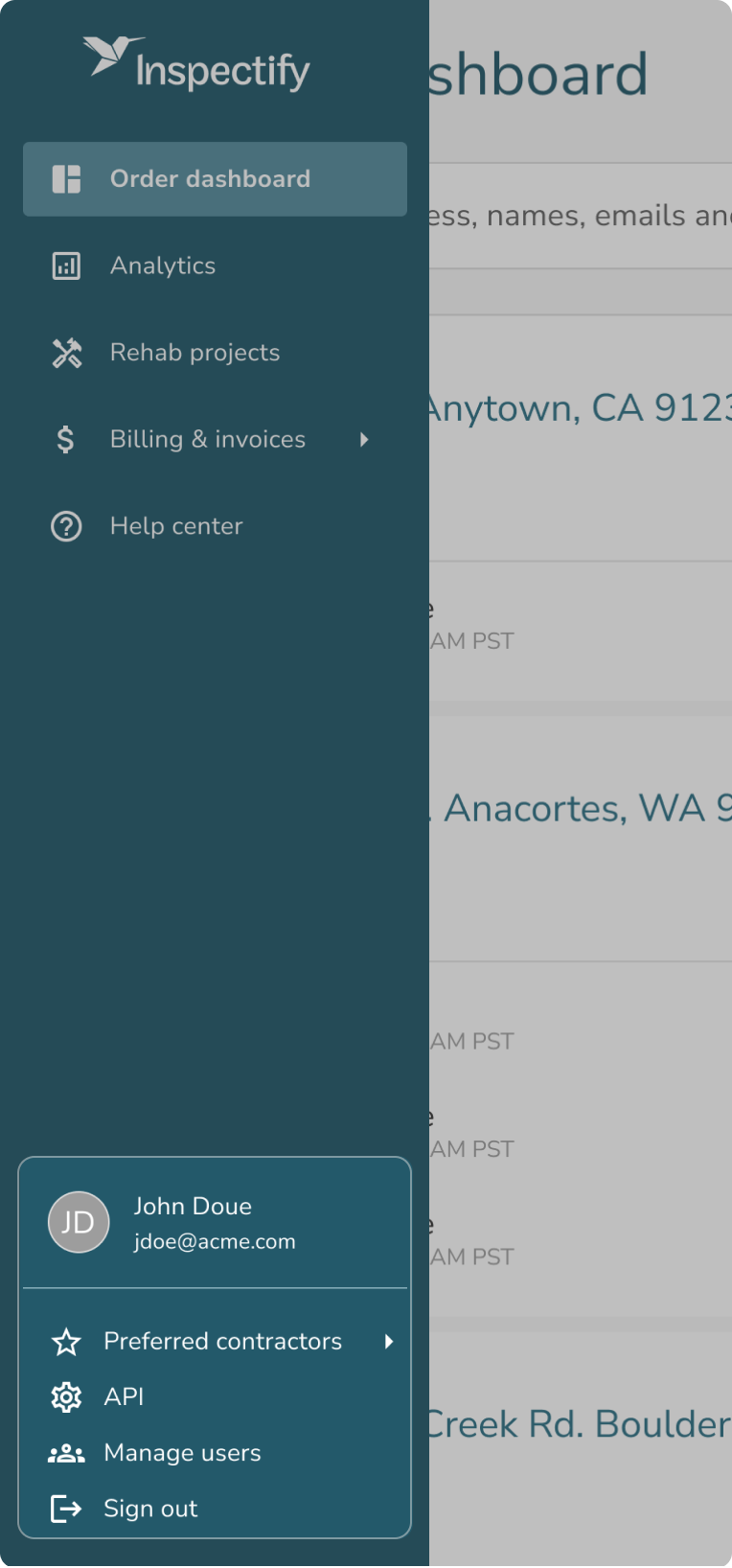
At the very bottom of the left navigation bar, you will find your user menu, which contains the following account-level settings and tools:
- Preferred Contractors: Similar to the Billing tab, clicking this will display a dropdown of your associated teams. Selecting a team will navigate you to the Preferred Contractors page specific to that team.
- API: Directs you to the API page where you can generate and manage API keys.
- Sign Out: Logs you out of your dashboard session.