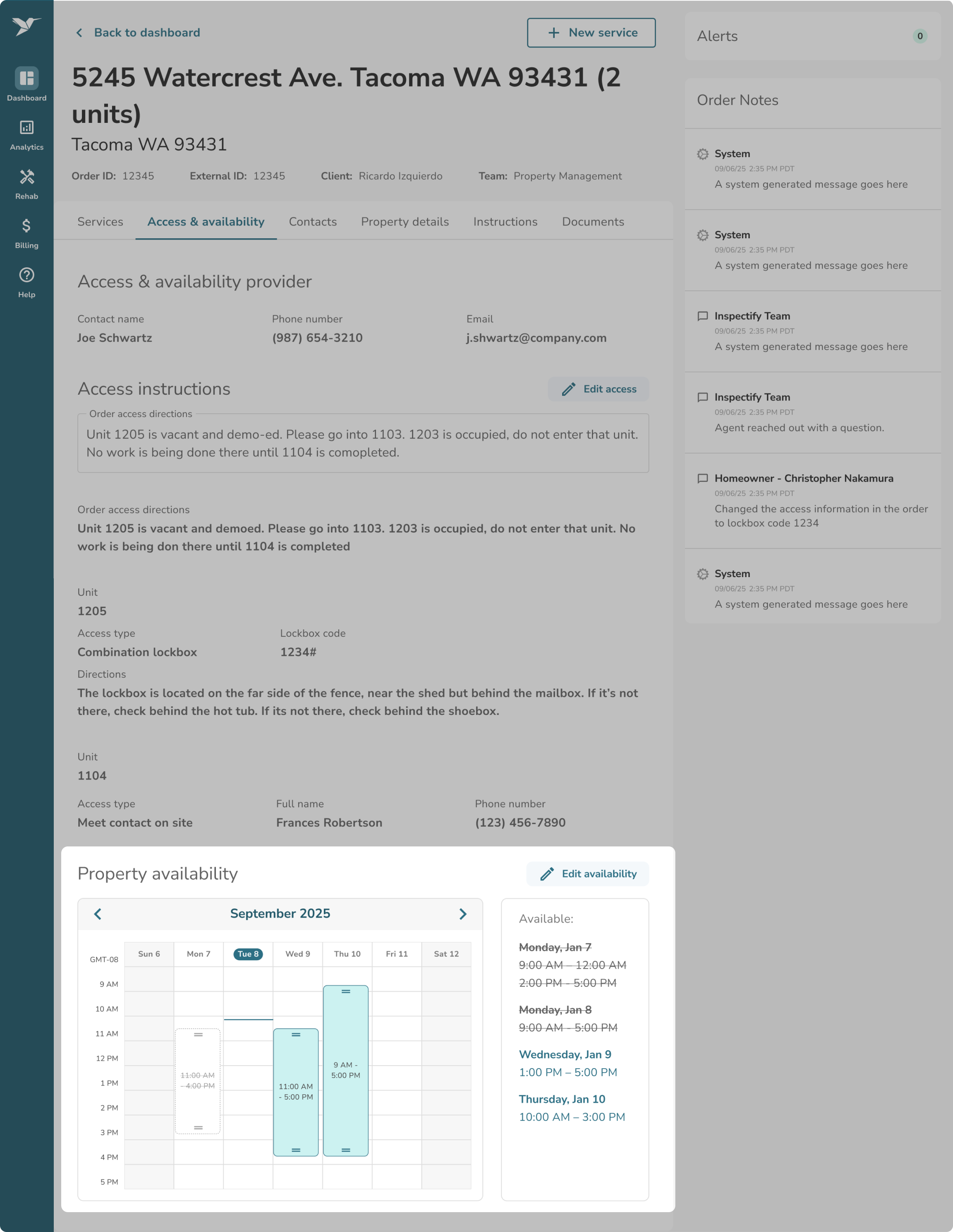
Features of the "Access & Availability" Tab
The Access & Availability tab on your Order Details page helps you manage how and when our contractors can visit the property. It includes three main features:
Access & availability provider:
Displays the contact information for the person responsible for providing property entry instructions and scheduling. You can click the Resend email button to immediately send them an email requesting this information and also update this contact by selecting Edit contact.
Note: If we have yet to receive access or availability information, we will display a message noting who we reached out to, how many times, and when the last time was that we reached out.
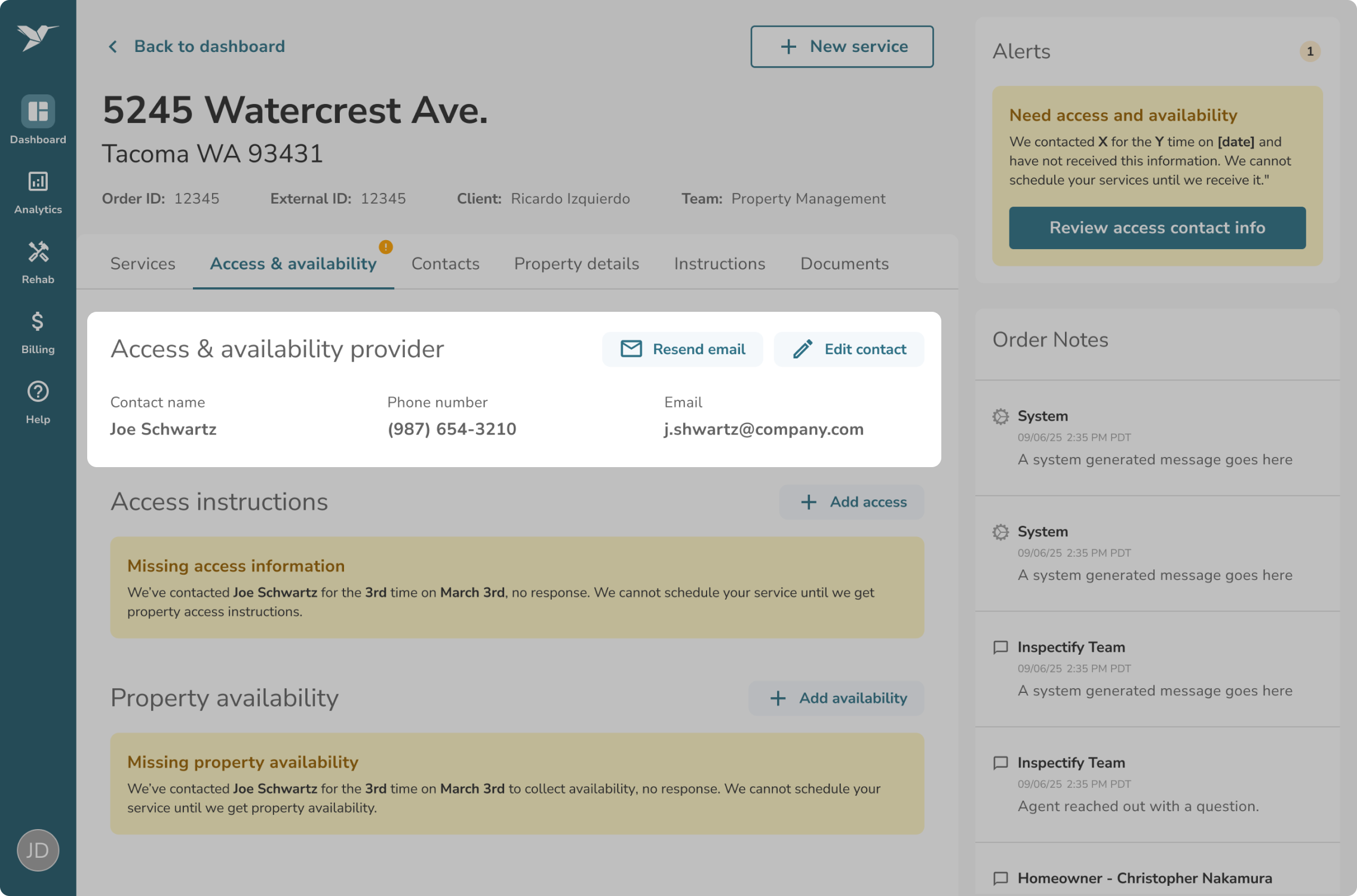
Access instructions:
Displays your current access information (e.g., lockbox codes). You can use the Add access or Edit access buttons to quickly update entry instructions.
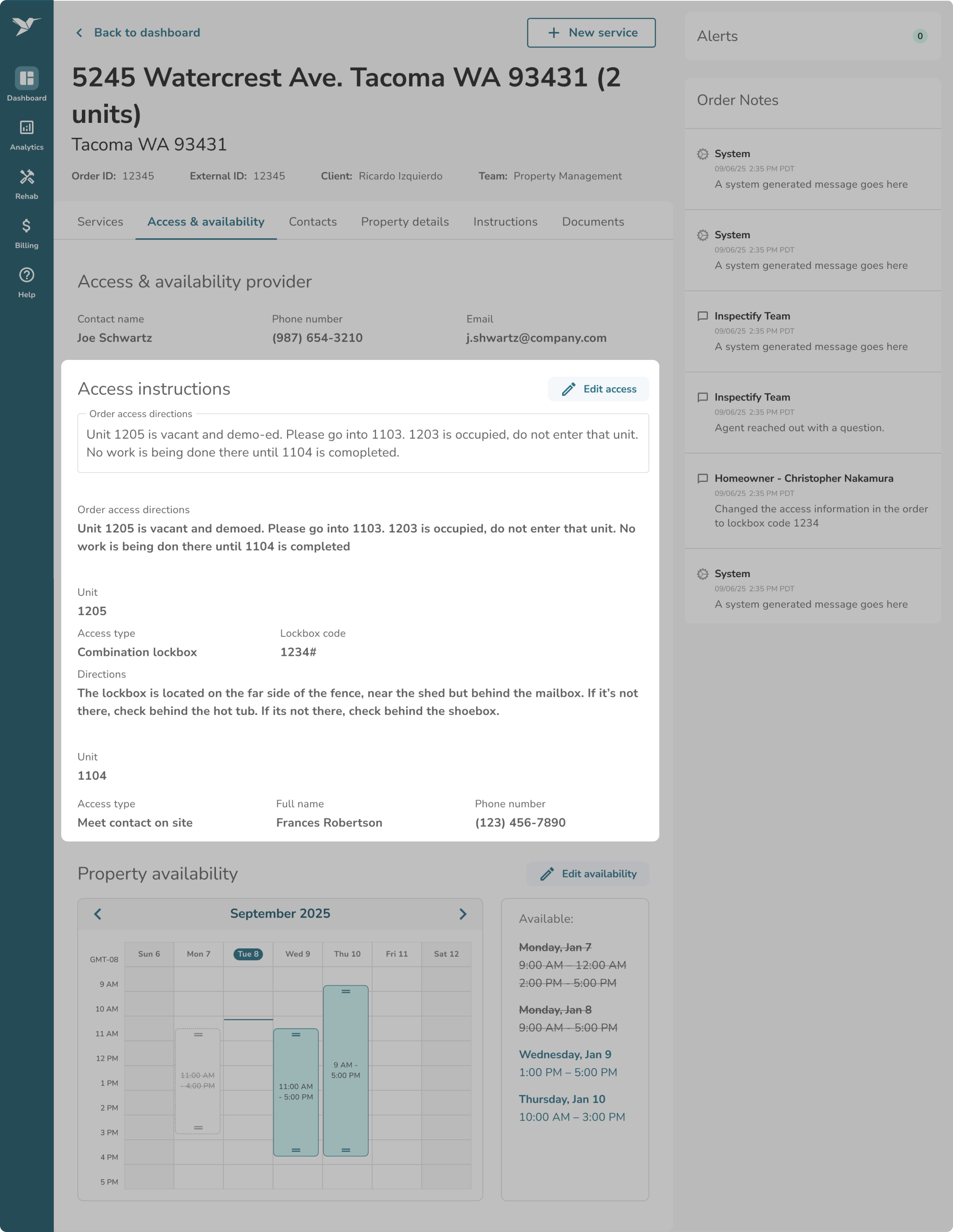
Property availability:
Displays the current scheduling availability, whether that is a calendar of available times or specific "go anytime" dates. You can use the Add property availability or Edit availability buttons to update scheduling dates and times.