How to Cancel a Service on an Order
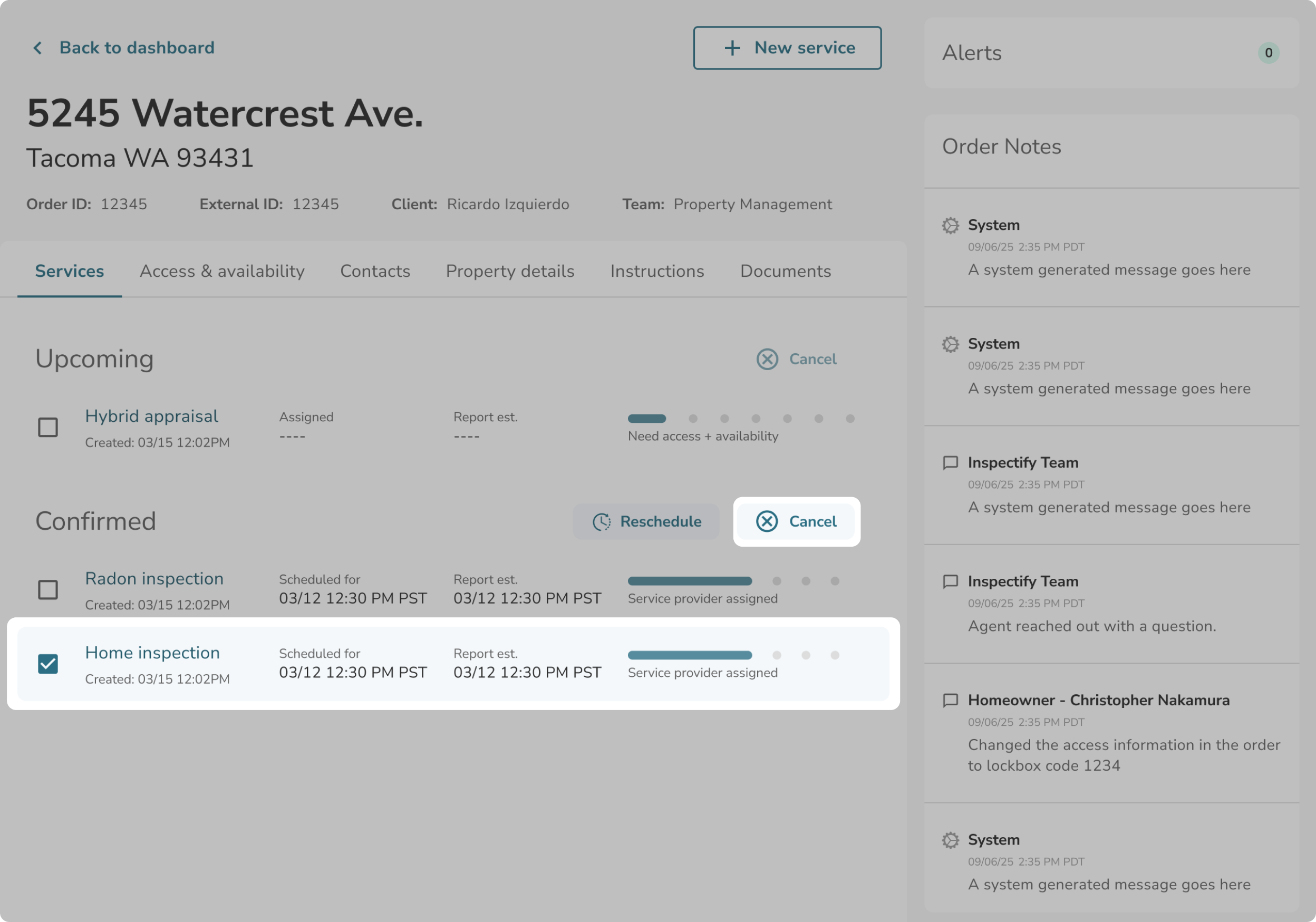
To cancel a specific inspection or appraisal service, navigate to your Order Details page and ensure you are on the Services tab.
- Locate the service you wish to cancel under either the Upcoming or Confirmed groups.
- Select the service by clicking the checkbox next to it.
- Click the Cancel button.
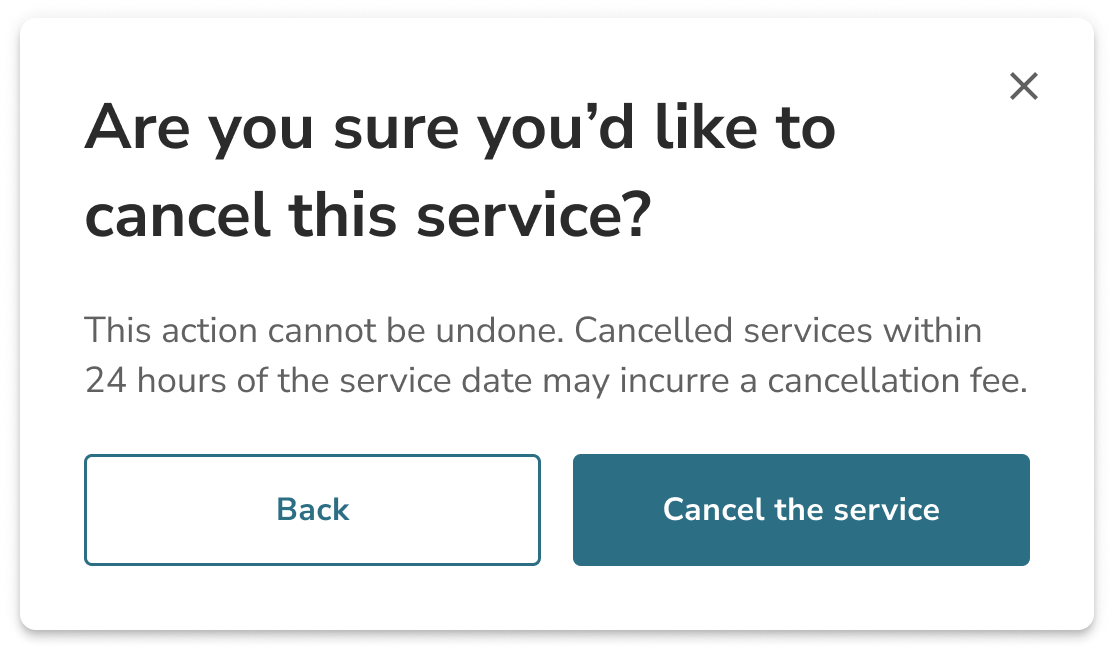
- A confirmation pop-up will appear where you can click Confirm cancellation to finalize your request.
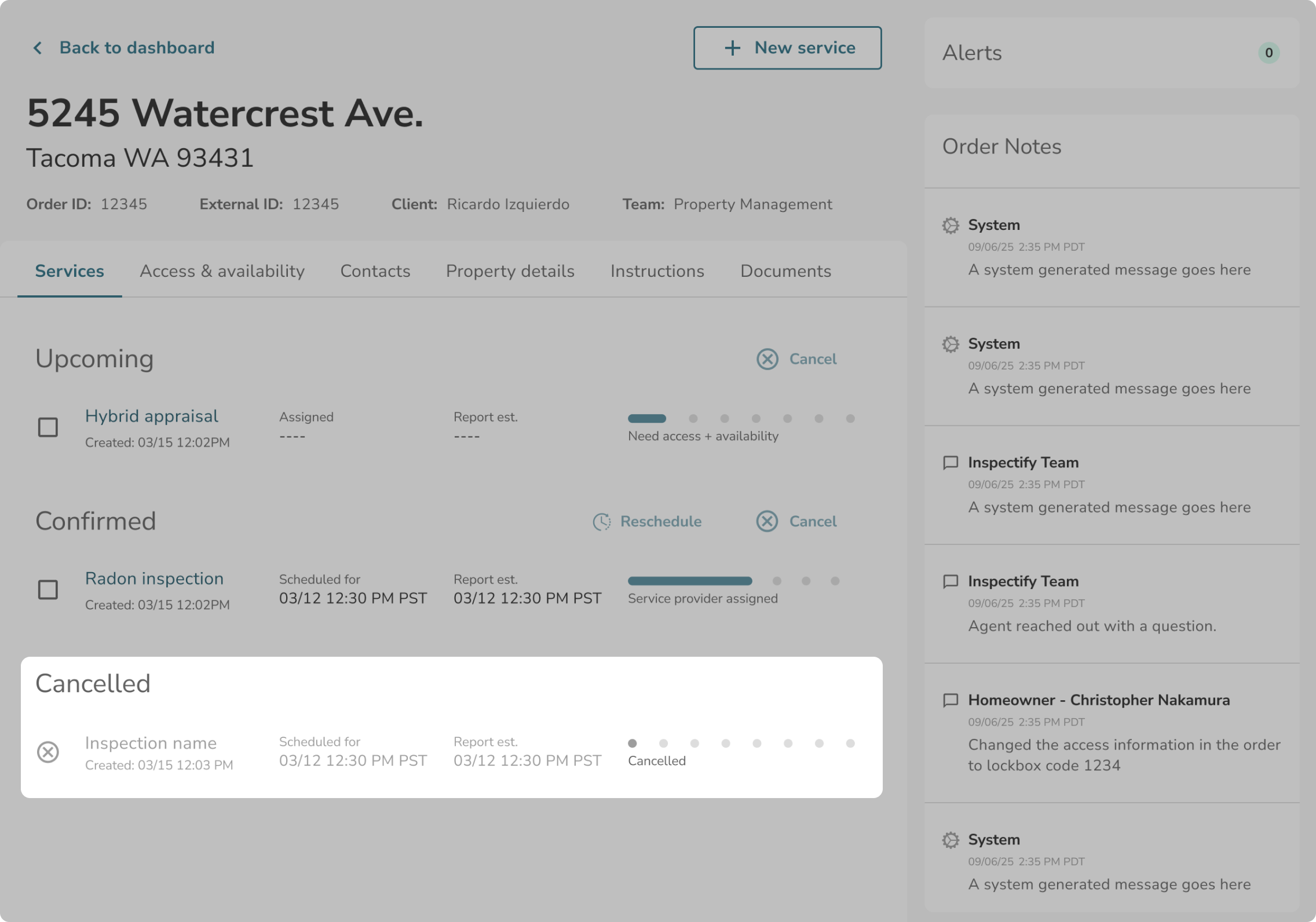
Upon returning to the Order Details page, the service will appear in the “Cancelled” section.