Skip to content
English
  • There are no suggestions because the search field is empty.

How to: Create an Order

You've started on your journey with Aloft Toolkit and now you're ready to create your first order. This article will guide you through the creation of an order and importing your report XML file.

Creating an Order

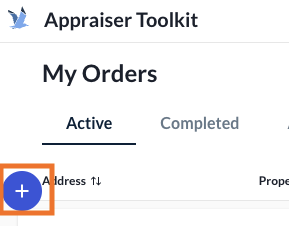
  1. From your Orders page, select "New Order"
    Screen Shot 2026-02-02 at 13.08.48 PM
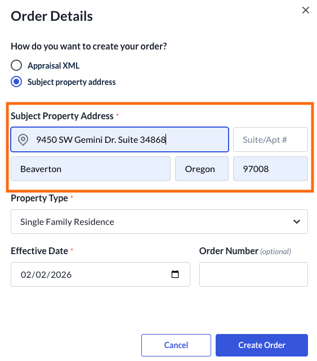
  2. Enter the Subject Property Address (an autofill dropdown will appear as you type)
    Screen Shot 2026-02-02 at 13.11.46 PM-1

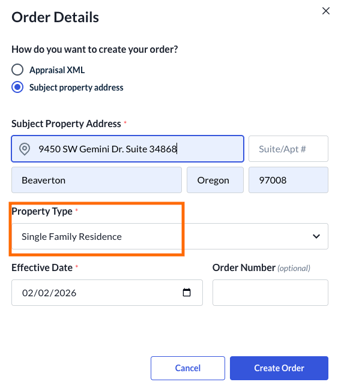
  3. Select the Property Type for your order
    Screen Shot 2026-02-02 at 13.11.46 PM
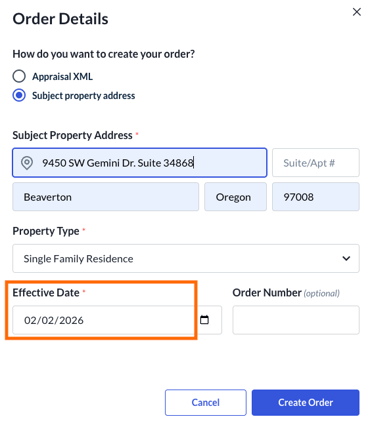
  4. Enter the Effective Date for the order
    Screen Shot 2026-02-02 at 13.11.46 PM-1
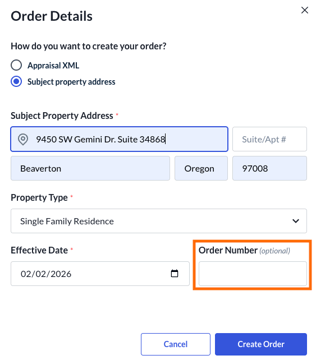
  5. Enter an Order Number (if applicable)
    Screen Shot 2026-02-02 at 13.11.46 PM-2
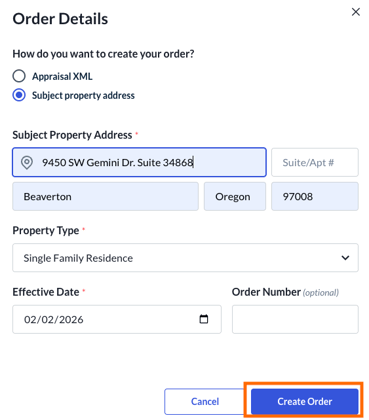
  6. Click Create Order and you'll be ready to start!
    Screen Shot 2026-02-02 at 13.11.46 PM-3

Congratulations, you've set up your first order in Toolkit! Aloft will now import the data from your MLS into the order, preparing you to create data backed and defensible adjustments.